Choose your source.
Connect GitHub or GitLab, or use the CLI to upload a directory. Set the root directory and build configuration to match your application.
Made for the way you already work
Keep your framework, your repository, and your editor. Bring a project to Lahyer through Git or the terminal, then stay close to what is running.
Connect a repository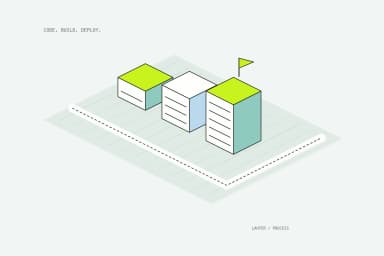
A few ways to begin
Your repository, your choice
Connect GitHub, GitLab or Bitbucket and deploy from your production branch, or bring any project through the Lahyer CLI, locally or from your CI pipeline.
Connect your account, choose a repository, and deploy from your selected branch.
Connect GitHubImport a GitLab repository and keep builds connected to changes in your code.
Connect GitLabAuthorize Lahyer on bitbucket.org and deploy the repositories you administer, with a preview for every pull request.
Connect BitbucketA familiar place to ship
Install the package, then connect your account with an organization-scoped API key.
Your stack has a place here.
Use the stack that fits
Each hosting guide shows what Lahyer detects in your repository, how it builds your app and how it runs. A Dockerfile covers anything else.
Server rendering, route handlers and API routes on Node.js, or a static export.
Next.js hosting guideVite and Create React App builds, served as static files with client-side routing.
React hosting guideStatic sites from dist/, or server output with the Node adapter.
Astro hosting guideadapter-node for a Node.js server, or adapter-static for a static site.
SvelteKit hosting guidenuxt build runs on a Node.js server; nuxt generate is served as static files.
Nuxt hosting guideServer rendering on Node.js, or SPA mode served as static files. Remix too.
React Router hosting guideThe browser build from angular.json, served as static files with deep links.
Angular hosting guidePlain HTML, CSS and JavaScript, served from a global edge with HTTPS.
Static site hosting guideAny language or runtime: Lahyer builds your Dockerfile and runs the container.
Docker hosting guideNot sure where to start? Compare every supported framework.
A practical first deployment
Connect GitHub or GitLab, or use the CLI to upload a directory. Set the root directory and build configuration to match your application.
Add application secrets to encrypted project environment variables. Keep database connections on the server and out of your Git history.
Follow the build log, check the live URL, and review runtime output. Use PR previews to review changes and an available deployment when you need to roll back.
A few useful answers
Yes. Install the CLI and provide LAHYER_TOKEN as a secret. Supply --org and --project when the checkout is not linked. Add --json for machine-readable command output.
Create an organization-scoped API key in Settings and run lahyer login. Never commit the key or include it in public build logs.
Yes. A Dockerfile is available for custom build and runtime needs. The control plane does not execute your application code.
Start with the build log, then use the project's AI view or lahyer ask for an explanation grounded in project context. You can also contact support with the project and deployment identifiers, without sharing secrets.